


Mostrando postagens com marcador malware. Mostrar todas as postagens
Mostrando postagens com marcador malware. Mostrar todas as postagens
How to Remove Iminent Search and tool bar from google chrome


How to remove Aol toolbar from Firefox
Aol toolbar is Easy a web application
add-on that allows to connect with rest of the world.
Like Facbook,youtube, etc
To Remove this add-on follow simple Steps:
How to remove Xfinity toolbar and homepage from Browser
How to remove Xfinity toolbar and
homepage from Browser
There is two ways to remove toolbar

First
step:
On the Right Side of Toolbar
Look for toolbar setting
Click to uninstall and follow the
Insctruction

How to remove Web radio toolbar in browser
How to remove Web radio toolbar in browser
First Step:
Open your browser
There is two ways to remove First one is From toolbar
Look for Arrow pointing Down
Click to arrow and look for Uninstall

Click to uninstall.
Second
Step:
Open your Control panel
Click to Uninstall programs
Look for Web radio Toolbar
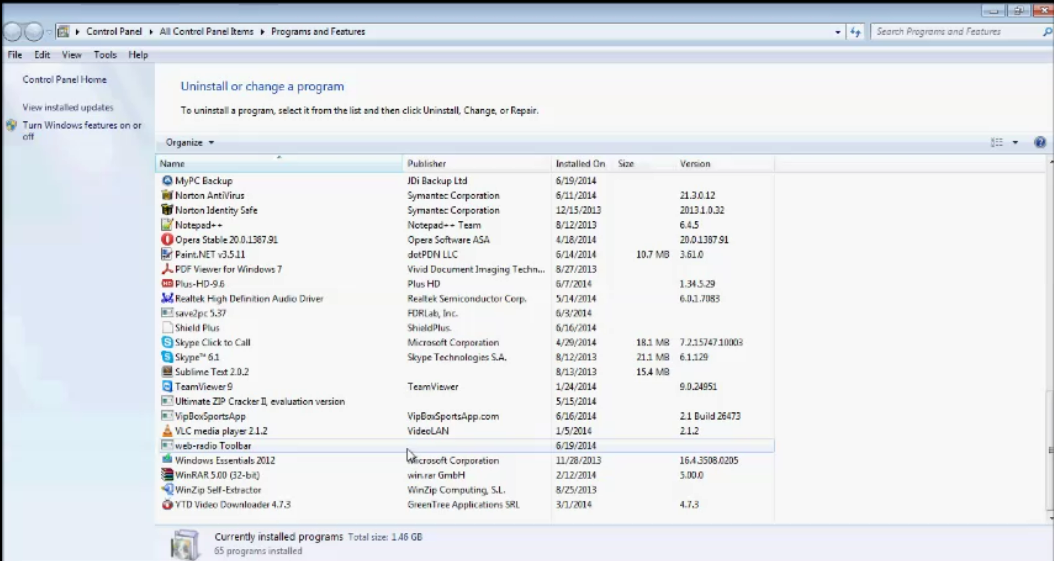
Select it
Click to uninstall/remove
When toolbar Is uninstall
How to remove Qone8 search extension from your Browser
How to remove Qone8 search extension from your
Browser

First open your browser that is affected or extension
is loaded
For Opera
Click to opera icon
Click extension look for base flash
Disable the baseflash and remove or close it
Sometimes is will also Loaded with Torntv
extension
For Google
Chrome
Go to setting on right side of chrome
Click tools and select extension
Look for baseflash or torntv
Disable it and close or remove extension
How to remove malware from your computer system
How
to remove malware from your computer system

At
first download anti-malware
by clicking this link
Install
it and scan your system

Malware
application will scan all the system

Let’s
scan full and select to Quarantine
Click Apply


